Popplet
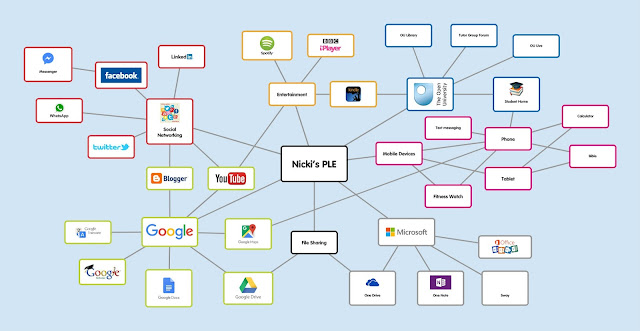
This tool is similar to Padlet in some ways. It's a mindmapping tool. I used it to create a visual representation of my Personal Learning Environment, which looks like this... If you've never used it before, why not give it a go. You need to register but it's free to use. Getting started When you first log in, you arrive at your home page, which shows you all your existing Popplets. You can also see loads of public ones and some of them are quite interesting. Click on 'make new popplet' and then this screen will pop up. Give your popplet a name. Hopefully you will be a little more adventurous than me. Also pick a background screen colour. I picked pink. It is very pink. I'd better start filling it with new popples. Just click on the screen and a popple will appear. Adding Popples You can type in your popples and change the font size. You can also change the colours of the outline boxes like this... Adding Images/Video Yo...